
Introducing Railway Authentication via identity-aware proxy
Enterprise users on committed spend tiers already get access to features like SSO, RBAC, audit logs, and higher resource limits.
Today we're making Railway Authentication via identity-aware proxy available to enterprise users.
With Railway Authentication, users or IT departments can gate services not intended for public view like staging previews, internal tools, and other self-hosted services behind a Railway login instead of configuring authentication manually.
The most common use case is for team compliance.
Since this is an admin-only feature available at the environment or service level, it makes it easy for team leads to ensure that entire environments (including forked environments) and/or specific services are kept behind authentication and access is restricted.
In this post, we'll use the Railway Docs property as an example. Let's say that we'd like every service in the staging environment to default to On, thus restricting access to any public http endpoint to users authenticated via Railway?
Simply flip the toggle in the Project level settings under Environments.
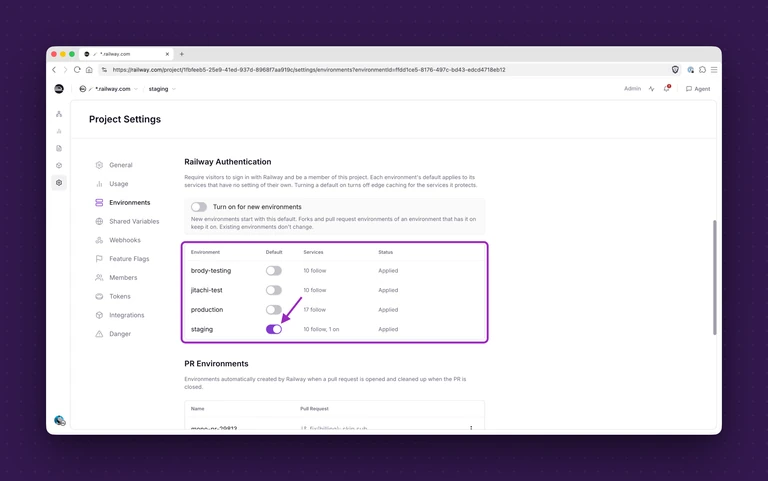
Where this gets even more useful is that any environment forked from the staging environment would now also default this setting to On, thus making it possible to control the visibility of an arbitrary number of non-admin users and environment forks.
Since the alternative would be wiring up Okta or another OIDC provider inside every single app, or putting something like Cloudflare Access in front of everything, Railway Authenticator handles it at the environment level, so every app within a project protected by default.
And what if we want to lock down a single service in a single environment? That's also possible.
Let's look at the Railway Docs service group in that same staging environment for *.railway.com.
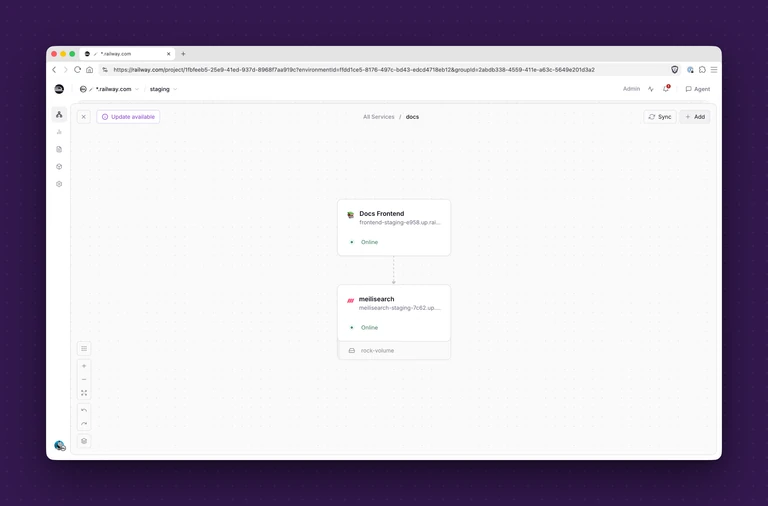
In the Docs Frontend service, we'll toggle the service settings and scroll to Networking where we can see that the docs frontend has a public staging url for public visibility and consumption.
That's the url that we'd like to ensure is always behind Railway Authentication.
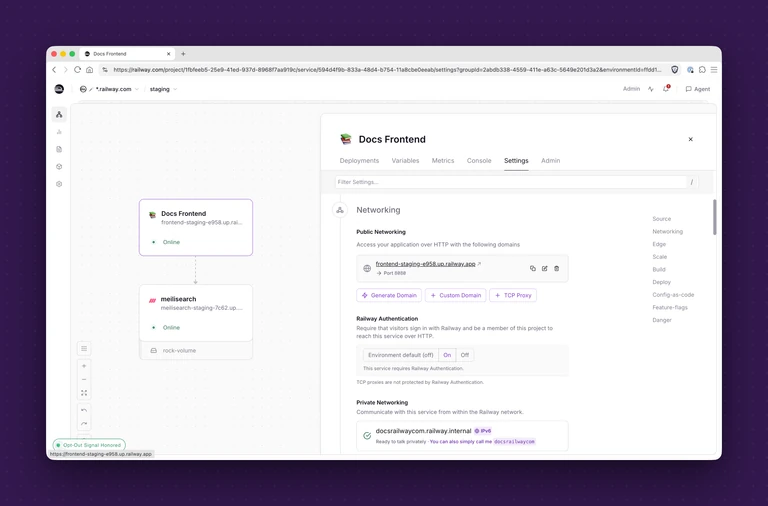
Scrolling down a bit, we'll find Railway Authentication and toggle that On.
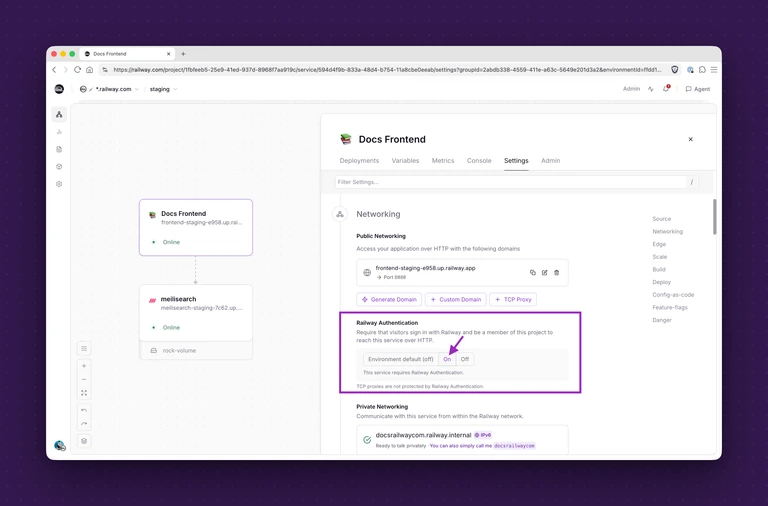
Since IAP provides service or environment-level authentication for any app hosted on Railway, we could just leave this on the Environment default setting, which we just toggled.
But in this case, we'd like it to be on no matter what changes at the environment level. Easy.
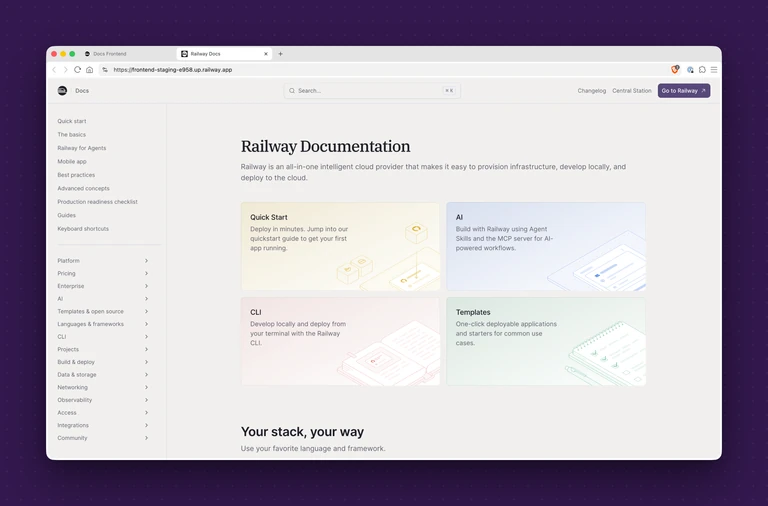
When Railway Authentication was turned off, anyone could visit the staging url to see the Railway Docs page, like so.
When Railway Authentication is turned on, the same staging url prompts the visitor to first log in with their Railway credentials.
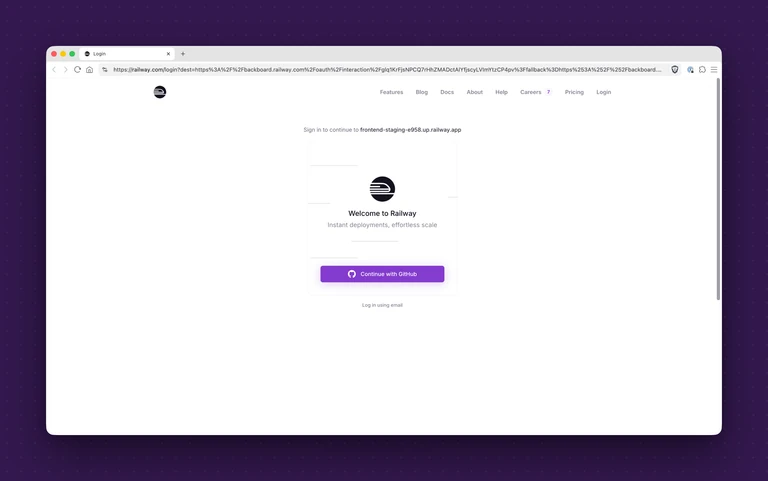
If the visitor then logs in and is a confirmed member of the development team on Railway, they will be able to see the page.
That's all there is to it.
To get started with Railway Authentication, you'll need to be on the $5,000/mo committed spent tier, which can be unlocked from your Workspace Plan settings.
Once the feature is unlocked, there are no limits to implementation.
Happy shipping!